Whether you need to turn a PDF into an editable Word file, convert an iPhone HEIC photo to JPG, or shrink a file to fit an email limit, you want a tool that just works. Too many sites hide basic features behind a paywall, add watermarks, or ask you to create an account first.
We compared several popular online tools and shortlisted the ones that are genuinely free and easy to use. Here is the quick view, followed by details on each.
Quick comparison
| Tool | Best for | No signup | No watermark |
|---|---|---|---|
| FreeConverto | PDF, image & utility tools in one place | ✓ | ✓ |
| PDFLinx | PDF conversion, protect & unlock | ✓ | ✓ |
| ConvertLinx | HEIC, WebP, JPG, PNG & compression | ✓ | ✓ |
| iLovePDF | Well-known PDF all-rounder | ✓ | ✓ |
| Squoosh | Precise image compression | ✓ | ✓ |
Based on basic free usage. Free-tier limits differ by tool and can change, so check each site for current details.
1. FreeConverto: best all-in-one free toolkit
FreeConverto.com
FreeConverto brings PDF tools, image converters and handy utility tools together on one site, so you do not have to jump between different services for everyday tasks. It is simple to use, works in the browser, and does not require an account.
Try FreeConverto Free →2. PDFLinx: best for dedicated PDF work
PDFLinx.com
PDFLinx focuses entirely on PDFs and walks you through a clear upload, options, download flow. It covers PDF to Word, Word to PDF, Image to PDF, plus security tools like Protect PDF and Unlock PDF. No signup and no watermark, which makes it a good fit when a document needs more than a quick conversion.
3. ConvertLinx: best for image conversion
ConvertLinx.com
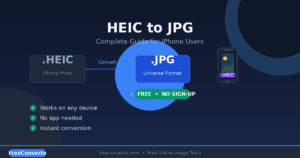
ConvertLinx is built around images and small utilities: HEIC to JPG, WebP, PNG, JPG conversion, compression and cropping. It is especially handy for iPhone photos, which are saved as HEIC by default. Try its HEIC to JPG converter when a photo will not open on your computer, or create a clean digital signature for your documents with its free Signature Maker.
4. iLovePDF: best for a familiar PDF all-rounder
iLovePDF
A very popular PDF site with a long list of tools. A solid choice if you prefer a familiar name. The free tier has usage and file size limits, and some features are part of a paid plan.
5. Squoosh: best for precise compression
Squoosh by Google
Built by Google Chrome Labs and running in the browser, Squoosh is a compression specialist. It offers fine quality control with a live side-by-side preview, which is great for preparing web images.
A simple workflow that saves time
Many jobs need more than one tool. For example: convert iPhone photos to JPG on ConvertLinx, combine them into one document with PDFLinx Image to PDF, and keep the other quick conversions and utilities handy on FreeConverto.
Frequently asked questions
What is the best free online file converter?
For everyday use, FreeConverto is our top pick because it covers PDF, image and utility tools without signup.
How can I convert a PDF to Word for free?
Use a free converter such as PDFLinx PDF to Word. Upload the file, choose options such as OCR for scanned pages, and download the editable document.
Can I convert HEIC photos to JPG without an app?
Yes. Browser-based tools like ConvertLinx convert HEIC to JPG with no download needed.
Is it safe to upload files to online converters?
Reputable tools delete uploaded files shortly after processing. Always read a site’s privacy policy, and for sensitive PDFs consider adding a password before sharing them.
Ready to get started?
Pick the tool that fits your task. All three are free and need no signup.
FreeConverto PDFLinx ConvertLinx